Skip to content

Clinic management software · Arabic & English

Run your clinic with clarity. Focus on your patients.

3iada brings appointments, patient files, billing, doctor earnings, payroll and reports into one system — for clinic owners, doctors, receptionists and accountants.

  • For single-doctor clinics and polyclinics
  • A separate login for every role
  • Arabic and English on every screen
  • Runs in the browser — nothing to install
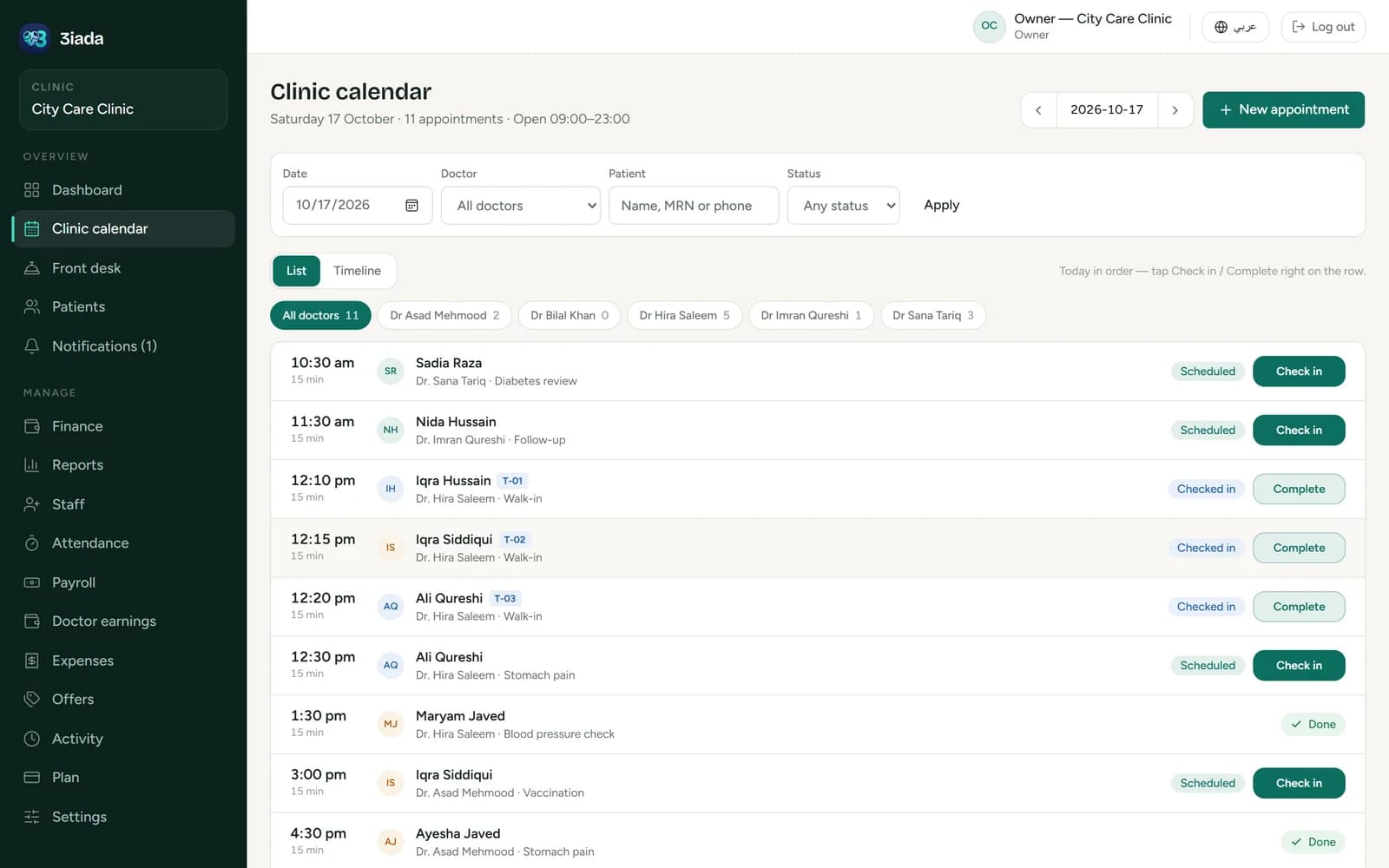
3iada clinic calendar listing the day’s appointments, with check-in buttons for each patient
Real screen from the app, with demo data: the clinic calendar.
Why clinics choose 3iada

Built for the everyday problems of a busy clinic

  • Two patients booked into the same slot

    Every booking is checked against the doctor’s schedule and existing appointments before it is saved. Walk-ins get a queue number.

  • Patient files that are hard to find

    Search by name, phone or file number and open one timeline with visits, diagnoses, prescriptions, invoices and allergies.

  • Losing track of treatment sessions

    Treatment plans show how many sessions are booked, done and still left for each patient.

  • Unclear invoices and unpaid balances

    Invoices, partial payments and balances are calculated by the system, and outstanding amounts are always one click away.

  • Reception and doctors working from different lists

    Everyone sees the same live day: the front desk checks patients in, the doctor sees who is waiting.

  • Not knowing how the month really went

    Monthly reports for revenue, cash and operating profit, doctor earnings, expenses and payroll — on screen, printed or as CSV.

Features

Everything the clinic runs on, in one place

Every plan includes every module. Here is what each part does and who uses it.

Appointments & front desk

A calm front desk, even on a busy day

Book scheduled visits, take walk-ins with a queue number and add a new patient while booking. Booking follows each doctor’s real working hours — daily, on set weekdays, on call or by appointment.

  • List and timeline views of every doctor’s day
  • Check in, complete or mark a no-show in one tap
  • WhatsApp appointment reminders for patients

Used by:ReceptionistOwnerDoctor
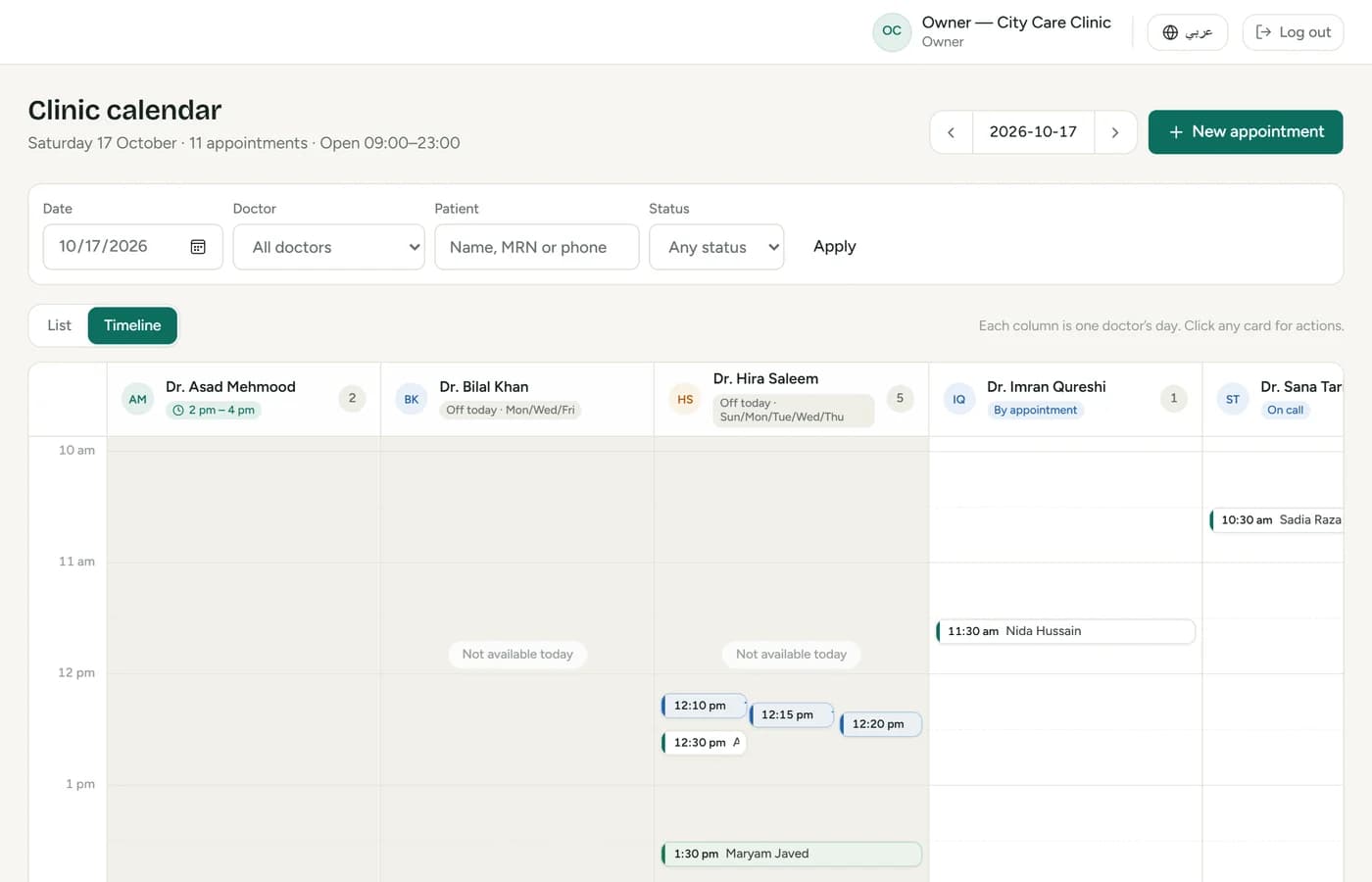
Clinic calendar timeline showing each doctor’s appointments for the day

Patients & clinical records

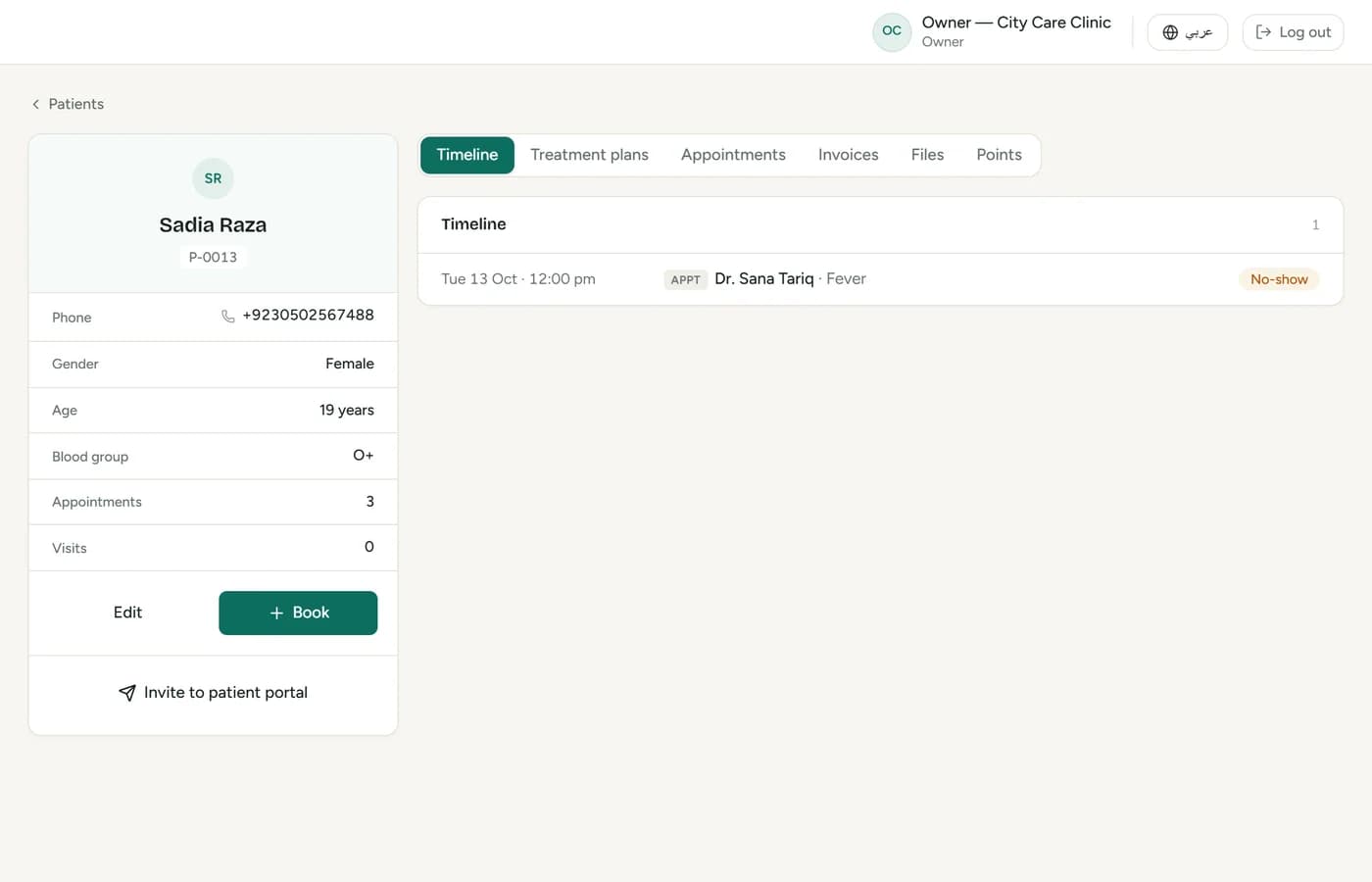
The whole patient story on one page

Each patient has a file number, allergies shown up front and a timeline of every visit, prescription, attachment and invoice. Visit notes follow a guided form: vital signs, symptoms, diagnosis, prescription and follow-up.

  • Treatment plans with sessions booked, done and remaining
  • A5 prescriptions and reports printed with your clinic logo
  • Visit field names adapted to your specialty

Used by:DoctorReceptionist

Patient file with visit history, treatment plan and invoices

Billing, payments & doctor earnings

Every payment and every doctor’s share, explained

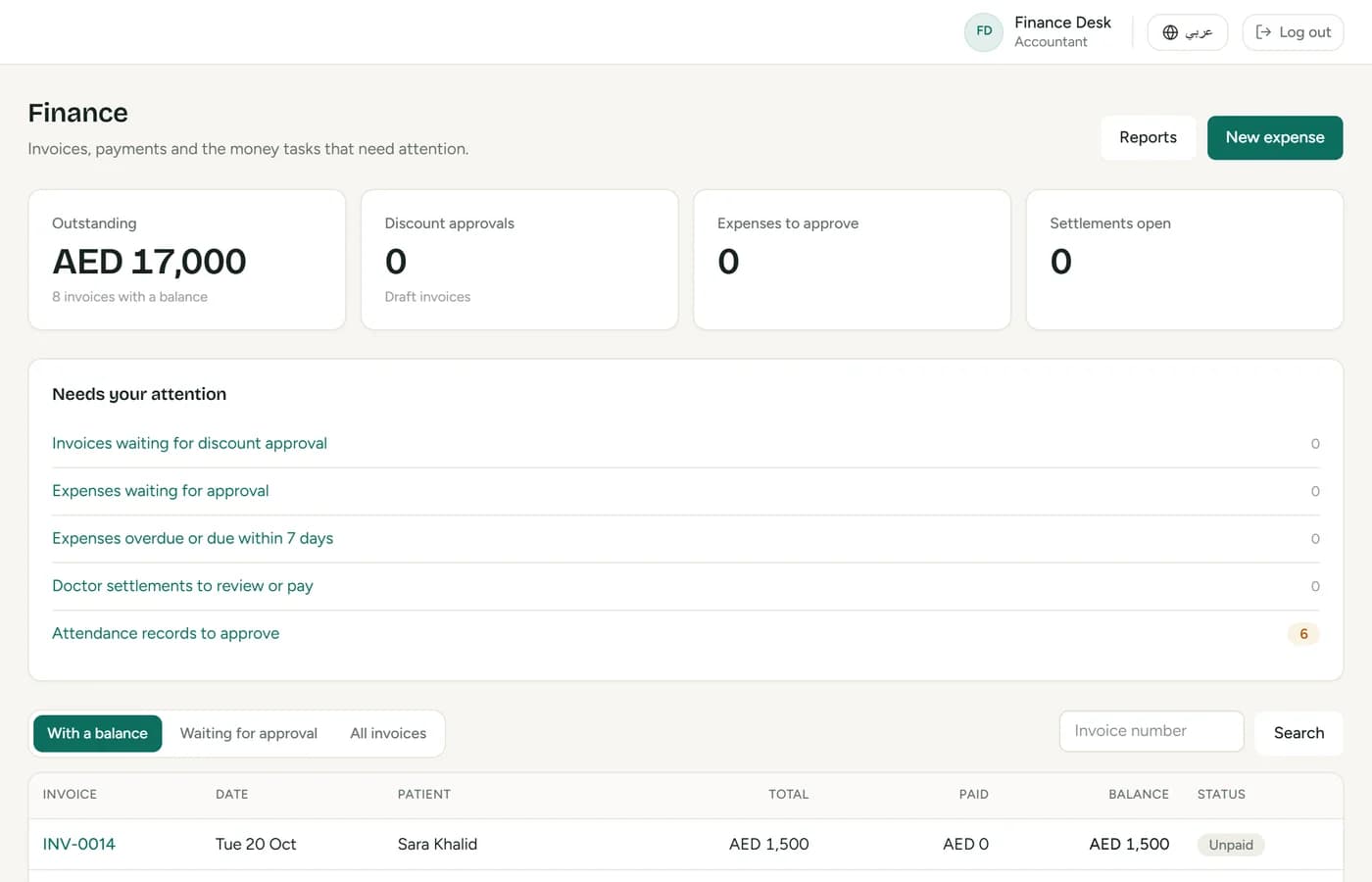
Invoice services, take cash, card or transfer, and record partial payments. Doctor earnings follow the rule you set per doctor and service — a percentage or a fixed amount, on what was collected or what was billed.

  • A Finance page listing what waits for approval
  • Settlements linked to payroll, with “How is this calculated?” on every line
  • Loyalty points, offers and coupons, and front-desk discount limits

Used by:OwnerAccountantReceptionist

Finance page with outstanding balance, approvals list and invoices

Attendance & payroll

From check-in to payslip without a spreadsheet

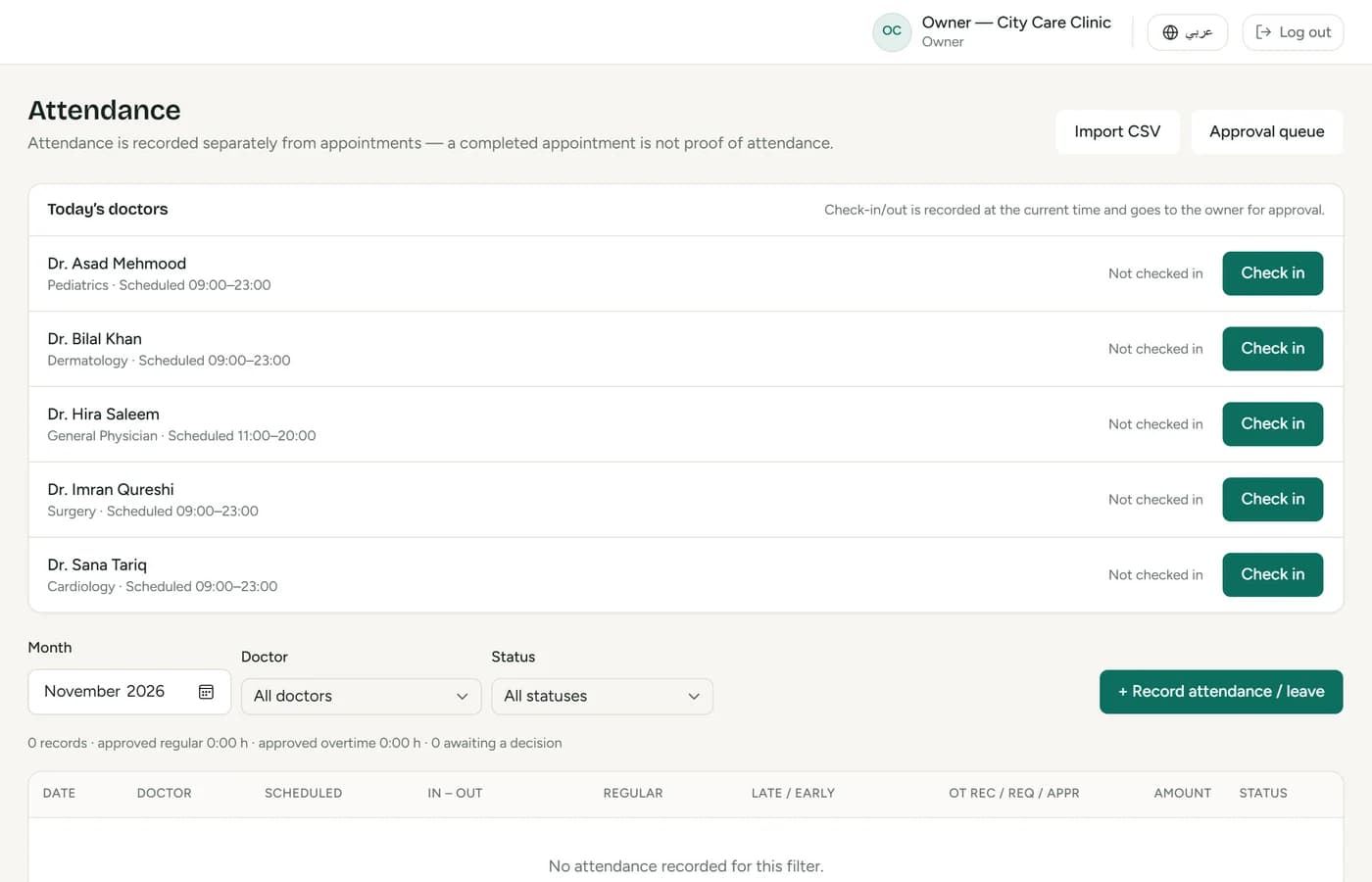
Doctors and staff check in and out at the front desk. Salary rules can be hourly, per shift or monthly, with grace periods, lateness and overtime. Payroll moves from draft to reviewed, approved and paid.

  • Overtime and corrections count only after approval
  • Salary statements to print or export
  • Clinic expenses with approvals and recurring bills

Used by:OwnerAccountant

Attendance page with staff check-in and check-out records

Reports & dashboard

See the month at a glance

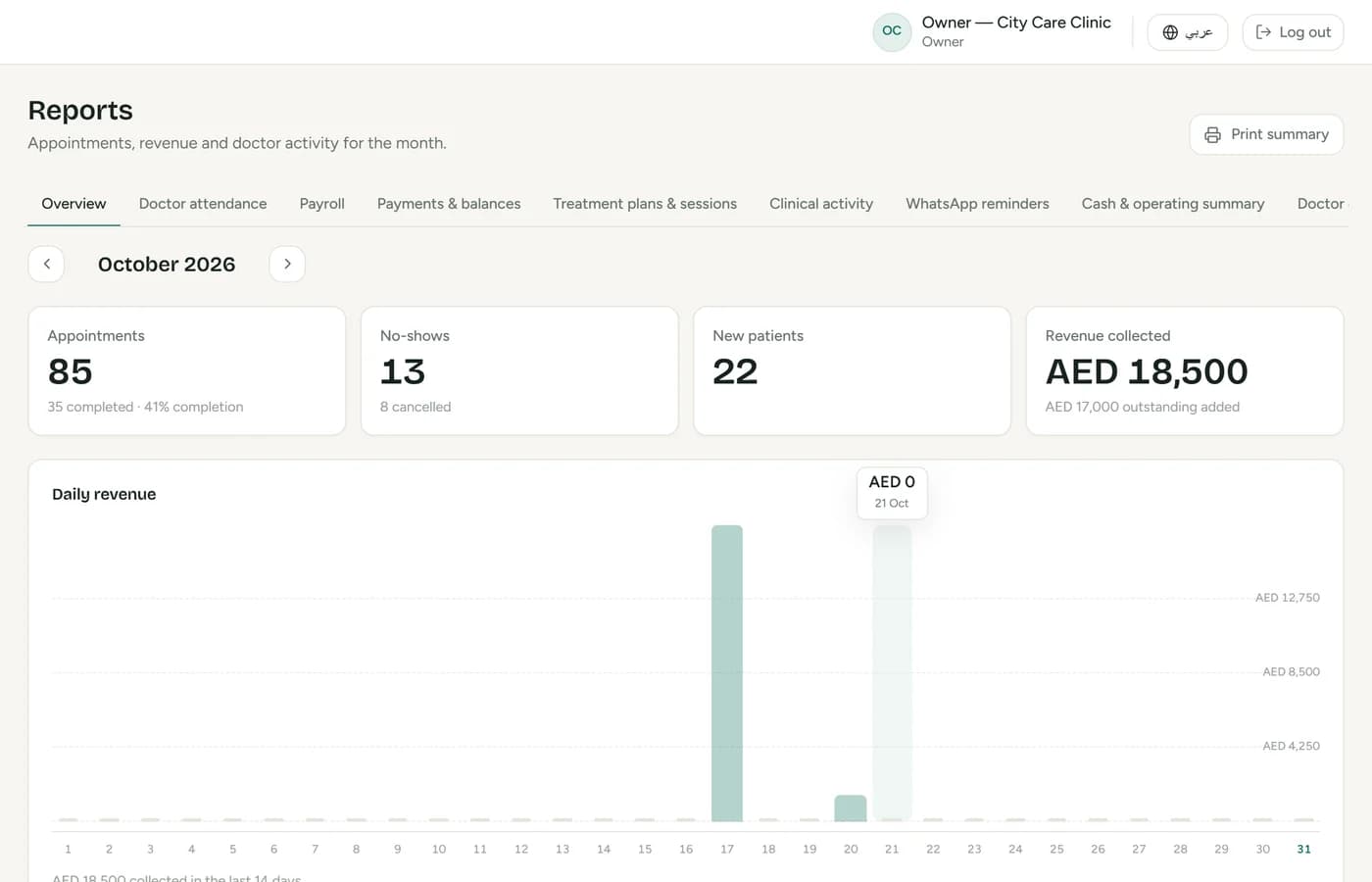
The owner’s dashboard shows today’s appointments, revenue and outstanding balances. Twelve monthly reports cover visits and revenue, cash and operating profit, payments and balances, doctor earnings and attendance, payroll, expenses, treatment sessions, loyalty and offers.

  • Print any report or export it to CSV
  • Per-doctor appointments, no-shows and revenue
  • An activity log of sensitive actions

Used by:OwnerAccountant

Monthly report with appointments, no-shows, new patients and revenue

Also included

  • WhatsApp reminders

    Appointment reminders sent to patients.

  • Patient portal

    Patients see appointments, sessions, invoices and points.

  • Loyalty points

    Earned on payments, redeemed on the next invoice.

  • Offers & coupons

    With dates and usage limits.

  • Clinic expenses

    Approvals, recurring bills and due-date alerts.

  • Printouts with your logo

    Prescriptions, receipts, statements and reports.

  • CSV export

    Reports and payroll ready for your accountant.

  • Activity log

    Cancellations, voids, payments and setting changes.

Arabic & English

Your team works in the language they prefer

  • The whole app in Arabic, right-to-left — or in English
  • Each person switches with one tap; the clinic sets the default
  • Prescriptions, receipts, statements and reports print in the chosen language
  • Arabic month and day names, with familiar Western digits for amounts
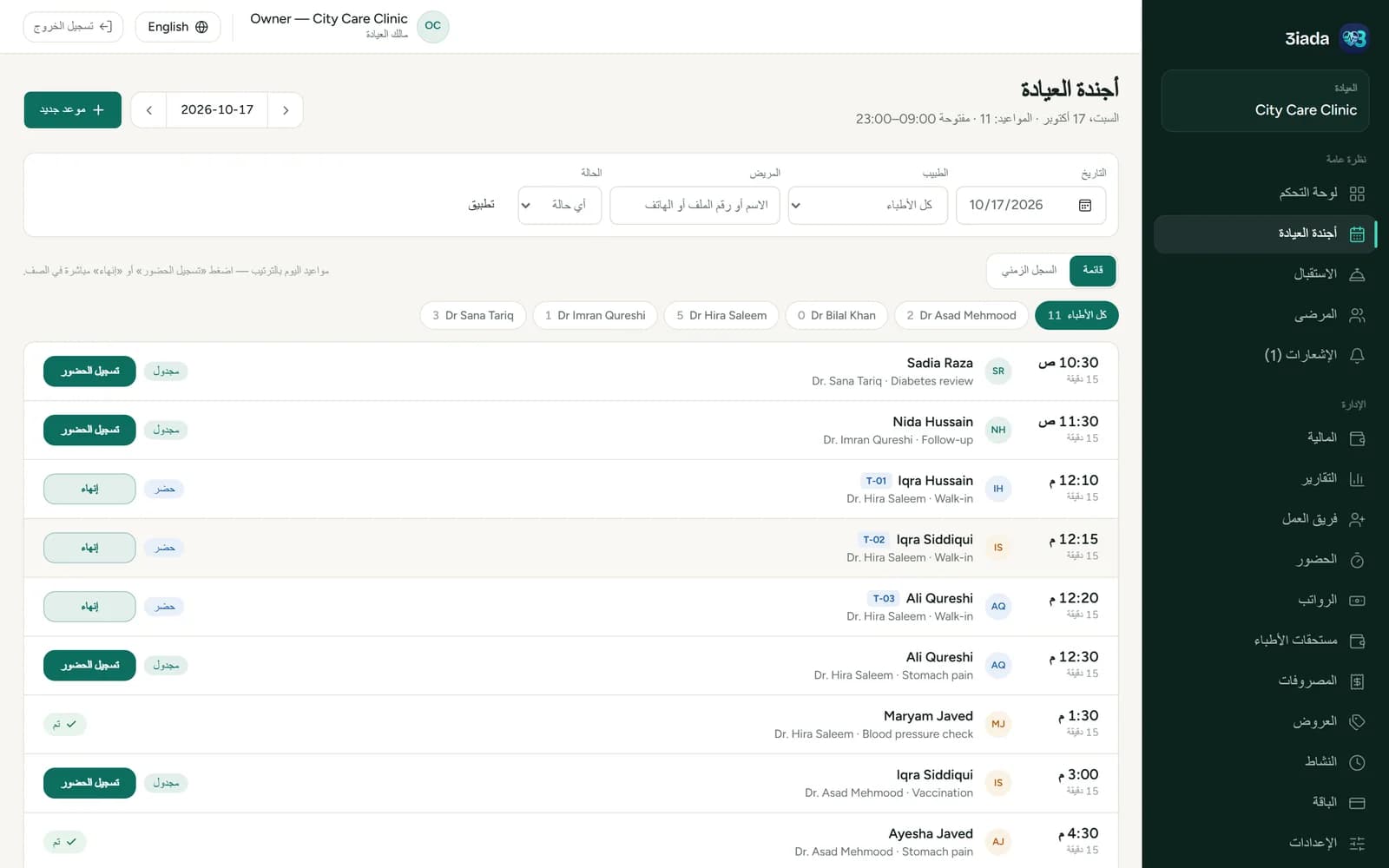
The same clinic calendar in Arabic, right-to-left
The calendar from the top of this page — in Arabic.
For every role

Everyone sees what their job needs — and nothing more

  • Clinic owner

    • Dashboard and monthly reports
    • Staff, roles, prices and settings
    • Approves discounts, payroll and expenses
  • Doctors

    • Their own day and waiting patients
    • Visit notes and prescriptions
    • Their attendance, earnings and salary
  • Receptionists

    • Bookings, walk-ins and check-in
    • New patients and their files
    • Invoices and payments at the desk
  • Accountant

    • Invoices, payments and refunds
    • Doctor earnings, expenses and payroll
    • No access to medical records
  • Patients

    • A portal with their appointments
    • Treatment sessions and invoices
    • Their loyalty points
How it works

From setup to month-end in four steps

  1. 1

    Set up the clinic and team

    Add doctors with their working hours, services and prices, your logo, and a login for each staff member.

  2. 2

    Organise patients and appointments

    Register patients, book visits and walk-ins, and run the day from the calendar.

  3. 3

    Manage visits and finances

    Record visits and prescriptions, invoice, take payments and track doctor earnings.

  4. 4

    Review the reports

    Close the month with payroll, expenses and reports you can print or export.

Prefer to look around first?

Sign in to the demo clinic as any role. The password for every demo account is password123

Pricing

Plans that grow with your clinic

Plans differ only by the number of doctors and patients. Every plan includes all modules, printouts with your logo and CSV export, and you can upgrade without losing data.

  • Free

    1 doctor · up to 50 patients

    For trying 3iada in a solo practice.

    • All modules included
    • Arabic and English
    • Printouts with your logo
  • Clinic

    Up to 5 doctors · unlimited patients

    For a clinic with a small team.

    • All modules included
    • Arabic and English
    • Printouts with your logo
  • Plus

    Unlimited doctors and patients

    For polyclinics and growing medical centres.

    • All modules included
    • Arabic and English
    • Printouts with your logo

Prices are shared on request, based on your clinic.

Privacy & control

Patient data stays with the people who need it

What 3iada does today to keep your clinic’s information in the right hands.

  • Each clinic’s data kept apart

    One clinic can never see another clinic’s patients, invoices or staff.

  • Access by role

    Each person sees only what their job needs. The accountant never opens visits, prescriptions or medical files.

  • A record of sensitive actions

    Cancellations, voided invoices, payments, exports and setting changes are logged with who did them.

  • Numbers you can check

    Amounts are calculated by the system, corrections are added as new entries instead of overwriting old ones, and every doctor’s share shows how it was worked out.

FAQ

Questions clinics ask us

Something else on your mind? Ask us directly

Who is 3iada designed for?

Clinics from a single doctor to polyclinics: the owner, doctors, receptionists and an accountant each get their own login and view.

Does it support Arabic and English?

Yes. Every screen, the patient portal and all printouts are available in Arabic (right-to-left) and English. Each person can switch with one tap, and the clinic sets a default language. Names and notes you type stay exactly as entered.

Can each doctor have a separate account?

Yes. Every staff member signs in with their own email and password. Doctors see their own day, visits, attendance and earnings.

Does it work on phones and tablets?

Yes. 3iada runs in the web browser on computers, tablets and phones — nothing to install. On a phone the menu moves to a bar at the bottom of the screen.

How are permissions managed?

The owner adds staff and chooses each person’s role: receptionist, doctor or accountant. The role decides what they can see and do, and sensitive actions are recorded in the activity log.

Which currency does it use?

Each clinic sets its own currency and time zone in Settings, and amounts are shown with the currency code.

How much does it cost?

Plans differ by the number of doctors and patients, and every plan includes all modules. Contact us for prices, or start on the Free plan.

How can I request a demonstration?

Use the form below to message us on WhatsApp or by email, or call +20 10 1000 2209. We’ll arrange a time that suits you.

What support is available?

Integra Solutions offers a free demo, clinic setup, staff training and support after go-live. Ask us what fits your clinic.

Book a demo

See 3iada with your own clinic in mind

Tell us a little about your clinic and we’ll walk you through the parts that matter to you. Integra Solutions also offers clinic setup, staff training and support after go-live.

Download the product catalogue (PDF, Arabic & English)

Request a demo

Fields marked * are required.

Please don’t include any patient information.

Both buttons open your own WhatsApp or email app with this message filled in — nothing is sent until you press send there.

How we handle your details: Privacy policy